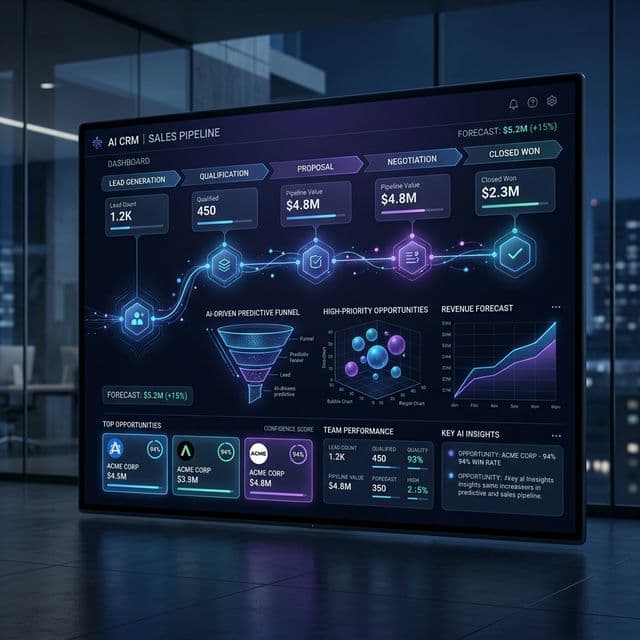
Scaling Education: How Odoo CRM Transforms Schools and Coaching Centers into Efficient Powerhouses

The education sector has evolved. Whether you are managing a prestigious international school offering a Cambridge curriculum, a university handling complex career counseling, or a fast-growing coaching center, academic excellence alone is no longer enough to guarantee growth. Today, educational institutes must operate with the efficiency of a modern enterprise.
Parents and students now expect seamless digital experiences. When a parent inquires about a customized learning program or a student seeks admission guidance, they expect prompt, personalized, and professional communication. Unfortunately, many institutes still rely on fragmented spreadsheets, disjointed WhatsApp messages, and paper-based files. This leads to missed follow-ups, lost admission opportunities, and frustrated parents.
To scale successfully, educational institutes need a centralized nervous system. Implementing an AI-driven, highly configurable system like Odoo CRM bridges the gap between marketing, admissions, and ongoing student management, turning scattered inquiries into a streamlined enrollment engine.
Here is a deep dive into how Odoo CRM can revolutionize lead management, communication, and operational efficiency for your educational institute.
1. Mastering Lead Management: From Inquiry to Enrollment
In the education sector, a "lead" is a prospective student. The admissions cycle is often lengthy and complex, involving multiple decision-makers (parents and students), counseling sessions, entrance assessments, and document verifications.
The Omnichannel Funnel
Odoo CRM eliminates manual data entry by natively integrating with your digital footprint. When a parent fills out an inquiry form on your optimized website, interacts with a targeted Facebook ad, or sends an email, the CRM instantly creates a comprehensive profile. Walk-in inquiries can be logged directly at the front desk via tablet, ensuring no prospect slips through the cracks.
Visualizing the Admissions Pipeline
Standardized CRMs force you into rigid sales stages. Odoo allows you to build a custom Kanban pipeline that mirrors your exact admissions process. You can define specific stages, such as:
- New Inquiry
- Counseling Scheduled
- Assessment Pending
- Awaiting Document Submission
- Fee Payment Pending
- Enrolled
With a drag-and-drop interface, your admissions team can visually track the status of every single applicant in real-time. Leadership can instantly see bottleneck areas—for instance, if too many students are stuck in the "Assessment Pending" stage, you know exactly where to allocate more administrative resources.
AI-Assisted Prioritization
Not every inquiry has the same intent. Odoo’s embedded AI calculates the probability of a successful enrollment based on historical data. If a prospect downloads a detailed syllabus and attends a campus tour, the system automatically flags them as a high-priority lead, prompting your top counselors to focus their efforts where they will yield the highest conversion rates.
2. Connecting with Parents and Students: The Central Communication Hub
Communication breakdowns are the most common source of friction between an institute and its stakeholders. "I never received that email," or "I told the receptionist yesterday," are phrases that indicate a fragmented system.
The Unified Chatter
Odoo CRM features a centralized "Chatter" thread on every student's profile. Every email sent, SMS delivered, phone call logged, and internal note written is chronologically recorded in one place. If an admissions counselor is out sick, another team member can open the prospect’s profile and instantly see the entire history of the conversation.
Automated and Personalized Outreach
Mass emails often end up in spam, and generic messages feel impersonal. Odoo allows you to create dynamic email and SMS templates. You can set up automated triggers based on pipeline stages. For example:
- When a student is moved to "Assessment Pending," the CRM automatically emails them the syllabus and test date.
- When a lead has been inactive for 14 days, the system triggers a personalized WhatsApp message checking if the parents have any further questions.
Seamless Portal Access
Transparency builds trust. Through Odoo’s integrated ecosystem, you can provide parents and students with secure portal access. Instead of calling the front desk, a parent can log in to view their child’s application status, upload missing identification documents, and even pay admission fees directly through an integrated payment gateway.
3. Following Up on Actions: Bulletproof Task Management
In education administration, success is in the follow-up. An admissions officer might need to remind a parent about a missing transcript, schedule a specialized career advice session for a senior student, or arrange a facility tour.
Next Activities and Reminders
Odoo CRM transforms passive data into proactive workflows using the "Next Activities" feature. Instead of relying on sticky notes or personal calendars, staff can schedule specific tasks directly on the applicant's profile: Call Parent to Confirm Tour, Review Entrance Exam, or Send Fee Reminder.
These activities populate on the user’s daily dashboard. The system will send automated notifications ensuring that every promised action is executed on time.
Managing Seminars and Workshops
Educational institutes frequently host events—such as teacher training workshops, curriculum orientation days, or career seminars. Odoo CRM seamlessly integrates with the Odoo Events module. You can track which prospective students attended which seminar, assess the ROI of the event, and automatically funnel attendees into a dedicated follow-up pipeline to convert that engagement into active enrollments.
4. Scaling the Business: Efficiency and Advanced Analytics
Growth requires predictability. If you cannot accurately forecast your incoming batch sizes, you cannot efficiently allocate teachers, classrooms, or resources.
Real-Time Forecasting
Odoo’s robust reporting engine turns your CRM data into actionable intelligence. Dashboards provide real-time insights into your conversion rates. You can answer critical business questions instantly:
- Which marketing channel (e.g., Google Ads vs. walk-ins) yields the highest enrollment rate?
- How long does it take, on average, to move a student from inquiry to full admission?
- What is the projected revenue from upcoming batch enrollments?
Resource Allocation
By understanding your pipeline velocity, management can make informed decisions. If the CRM shows a 40% spike in inquiries for the science program compared to last year, the operations team has the lead time necessary to hire additional specialized faculty or adjust classroom schedules before the semester begins.
5. Practical Tips for a Successful Odoo CRM Implementation
Transitioning to a new system requires strategic change management. Here are practical tips to ensure a successful rollout:
- Tip 1: Map Your Workflows First: Do not touch the software until you have mapped your current admissions and communication processes on a whiteboard. Identify your bottlenecks and design your Odoo Kanban stages to solve them.
- Tip 2: Start Simple, Then Scale: Avoid the temptation to automate everything on day one. Start by centralizing your lead capture and standardizing your pipeline. Once the staff is comfortable, introduce AI scoring, automated SMS triggers, and portal integrations.
- Tip 3: Invest in Hands-On Training: A CRM is only as effective as the people using it. Conduct tailored workshops for your admissions team, front desk staff, and counselors. Show them how the tool reduces their administrative burden rather than adding to it.
- Tip 4: Standardize Your Tags: Use a rigorous tagging system (e.g., Science Track, Transfer Student, Needs Scholarship). This allows for highly segmented and effective marketing campaigns down the line.
- Tip 5: Integrate Accounting Early: Connect your CRM with Odoo Invoicing. The moment an admission is approved, the system should automatically generate and send the initial invoice, bridging the gap between sales and finance seamlessly.
Frequently Asked Questions (FAQs)
1. Is Odoo CRM suitable for small, specialized coaching centers, or only large schools? Odoo is highly modular and scalable. A small coaching center can use the basic CRM to manage inquiries and follow-ups, while a large international school can utilize the full suite of AI scoring, omnichannel routing, and ERP integrations. You only use (and pay for) what you need.
2. Can Odoo handle multiple campus branches within one system? Yes. Odoo supports multi-company and multi-branch environments. You can manage inquiries for different campuses from a single centralized database while restricting user access so staff only see data relevant to their specific branch.
3. How does the CRM integrate with our institute’s existing website? If you use the Odoo Website Builder, integration is native and instantaneous. If you use a third-party CMS like WordPress, Odoo provides robust APIs and simple web-form integrations to seamlessly route leads directly into your pipeline.
4. Can parents log in to see updates on their child’s application? Absolutely. Odoo features a dedicated customer portal. Parents can log in securely to track application statuses, view communication logs, upload required documents, and process fee payments.
5. Does Odoo CRM send automated WhatsApp or SMS messages? Yes. Through integrated third-party gateways or native Odoo SMS features, you can set up automated triggers. For example, moving a prospect to the "Interview Scheduled" stage can automatically fire a WhatsApp reminder to the parents.
6. How do we track admission fees in the CRM? Because Odoo is a unified ERP, the CRM connects directly to the Sales and Accounting modules. An admissions counselor can generate a customized fee quotation or invoice directly from the student's CRM profile with a single click.
7. Can we customize the admission stages for different types of courses? Yes. You can create multiple, distinct sales teams and pipelines. The pipeline for a "Summer Boot Camp" might have three simple stages, while the pipeline for "Full-Time University Admission" might have eight complex stages involving academic reviews.
8. What happens to leads that do not enroll this year? They are marked as "Lost" with a specific reason code (e.g., "Chose another school" or "Financial constraints"). These leads remain in your database and can be easily segmented for targeted re-engagement campaigns next semester.
9. How secure is student and parent data within Odoo? Odoo employs enterprise-grade security, including role-based access control. You decide exactly who can view, edit, or delete information. A counselor may see phone numbers, while a junior assistant might only see email addresses.
10. Can it track the ROI of our marketing campaigns, like Facebook Ads? Yes. By using UTM trackers on your marketing links, Odoo automatically tags incoming leads with their source and medium. Your dashboards will clearly show which ad campaigns resulted in the highest number of actual enrollments.
11. How long does it take to implement Odoo CRM in a school? A basic CRM implementation focused on lead capture and pipeline management can be deployed in a few weeks. A highly customized deployment with portal integrations and automated financial workflows will require a more comprehensive, phased rollout.
12. Can teachers and academic staff use the CRM? While primary users are admissions and admin staff, teachers can be granted limited access to review student profiles, log notes from parent-teacher meetings, or review a student's history prior to academic counseling.
13. Does Odoo CRM help with ongoing student retention? Yes. By maintaining a complete history of interactions, grades (if integrated with the education module), and support tickets, counselors can identify at-risk students early and proactively intervene before a student drops out.
14. Can the system handle offline, walk-in inquiries? Yes. Front desk staff can manually enter a walk-in lead into the system in seconds, or hand the parent a tablet with an Odoo web form to capture their details directly into the CRM, eliminating paper logbooks.
15. Is Odoo cloud-based or installed on-premise? Odoo offers flexible hosting. You can choose Odoo Online (SaaS) for immediate cloud deployment, Odoo.sh for a managed cloud environment with custom development capabilities, or an on-premise installation if your institute has strict local data compliance requirements.
Vous avez aimé cette idée ?
Partagez vos réflexions ou contactez-nous pour discuter de la manière dont ces stratégies s'appliquent à votre entreprise.
Entrer en contact